Free YouTube SEO audit — check any video in seconds
Paste any YouTube URL and get a 10-point SEO breakdown instantly: title score, tag count, description quality, engagement rate, and exactly what to fix.
- Free — no account needed
- Nothing stored, nothing tracked to you
- Live data from the official YouTube API
SEO Score
How to use the Video Analyzer
-
Paste any YouTube URL
Drop in a full video URL, a youtu.be short link, a Shorts URL, or paste the 11-character video ID directly. Any public video works.
-
Read the 10-point SEO audit
The tool checks title length, tags, description depth, chapters, links and call to action — and flags exactly what is missing with a tip to fix it.
-
Fix and re-run
Update the flagged items in YouTube Studio — add chapters, expand your description, adjust tags — then analyze again to confirm your score improved.
Why the description is where most YouTube SEO is lost
Most creators focus on thumbnails and titles when their video underperforms — and those do matter. But the fastest wins are almost always in the description and tags, which take under five minutes to fix and are invisible to viewers but read closely by YouTube's ranking system.
A description with fewer than 200 words gives YouTube almost nothing to work with when deciding which searches to surface your video for. Chapters in the description can unlock rich result appearances in Google search — directly below the video thumbnail — at no extra cost.
Understanding engagement rate
Engagement rate here is likes divided by views, expressed as a percentage. YouTube does not show this number publicly, but it is a strong proxy for how compelling the video is to the audience it actually reached.
A rate above 2% is healthy for most niches. Below 1% usually means the thumbnail or title drew clicks from people who were not the intended audience — the video is getting views, but not from the right people.
Engagement rate can only be improved by changing the audience targeting rather than the video itself once published. Running the trend checker before filming is how to avoid the mismatch in the first place.
The fastest SEO improvements on any published video
Tags and description can be edited in YouTube Studio at any time without resetting watch-time data or the video's performance history. A video published years ago with a thin description is still a fixable video.
Adding chapters is the single highest-leverage change on most videos. It improves navigation for returning viewers, increases average watch time, and can appear in Google's featured results. Three timestamps starting at 0:00 are enough for YouTube to activate the chapter feature.
Frequently asked questions
What does the YouTube video analyzer check?
It runs 10 SEO checks: title length, whether the title contains a number, title casing, tag count, total tag character usage, description length, description opening quality, video chapters, links in the description, and a call to action.
Can I analyze any YouTube video, or only my own?
Any public YouTube video. Paste the URL from the address bar — the tool reads the same public data that anyone viewing the video can see.
How do I find my YouTube video ID?
The video ID is the 11-character code after ?v= in a standard YouTube URL. In youtube.com/watch?v=dQw4w9WgXcQ, the ID is dQw4w9WgXcQ. You can paste the full URL or just the ID — both work.
Does analyzing a video affect its performance?
No. The tool only reads publicly available data through the YouTube Data API. It does not interact with your channel, request any permissions, or change anything on YouTube.
What is a good SEO score for a YouTube video?
A score of 8 or above means the video covers the main bases. Scores below 5 indicate several quick wins are available — usually in the description and tags, which can be edited at any time in YouTube Studio without affecting the video's history.
Is the YouTube video analyzer free?
Yes, completely. There is no account to create, no sign-up required, and no limit on how many videos you can audit.
More free YouTube tools
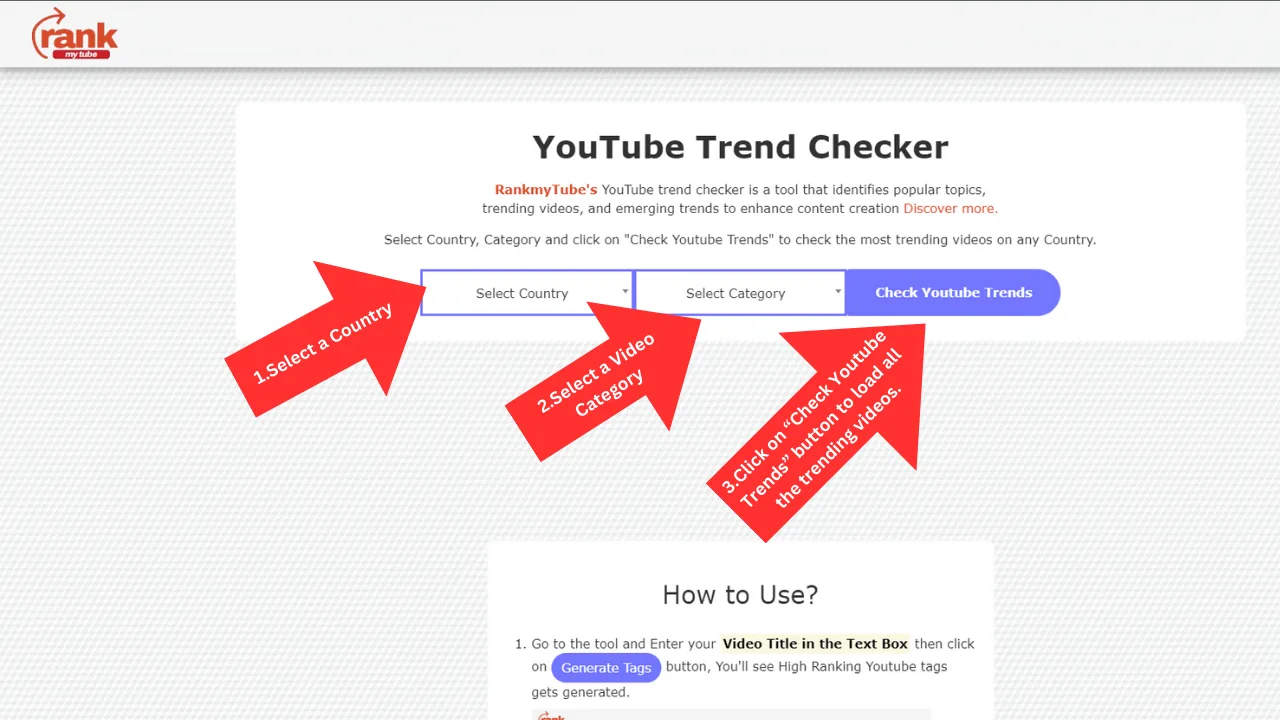
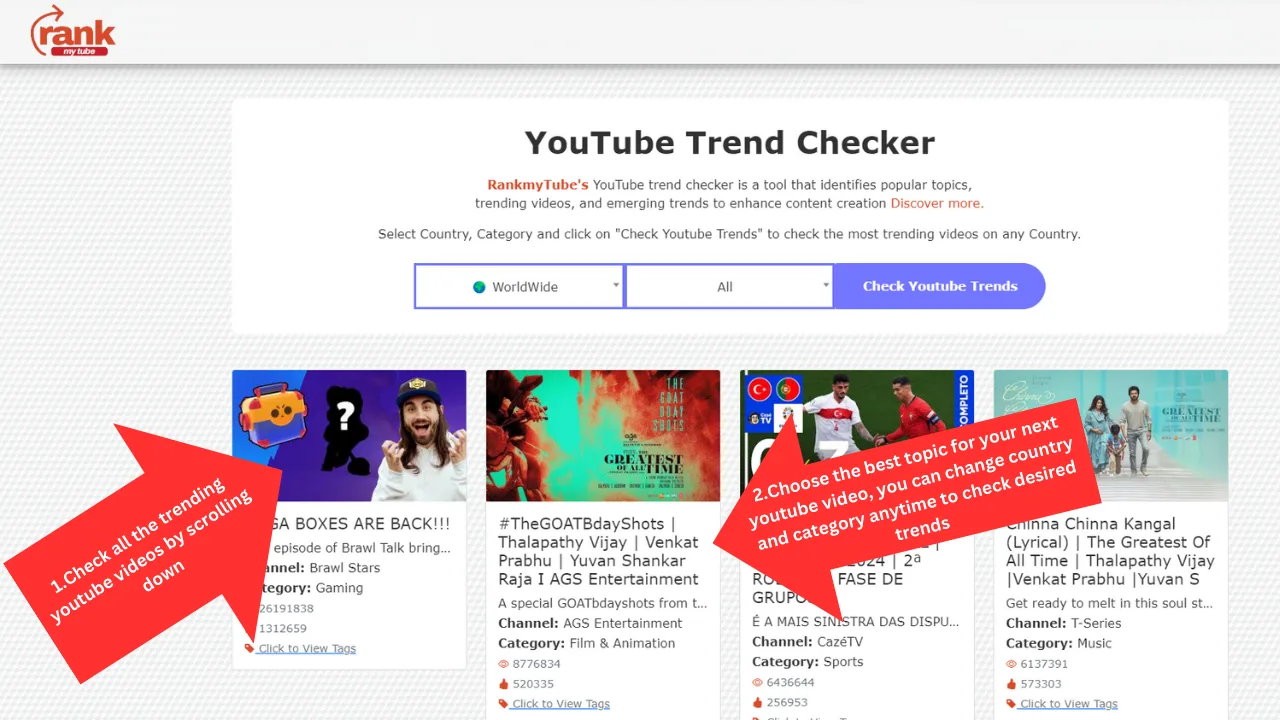
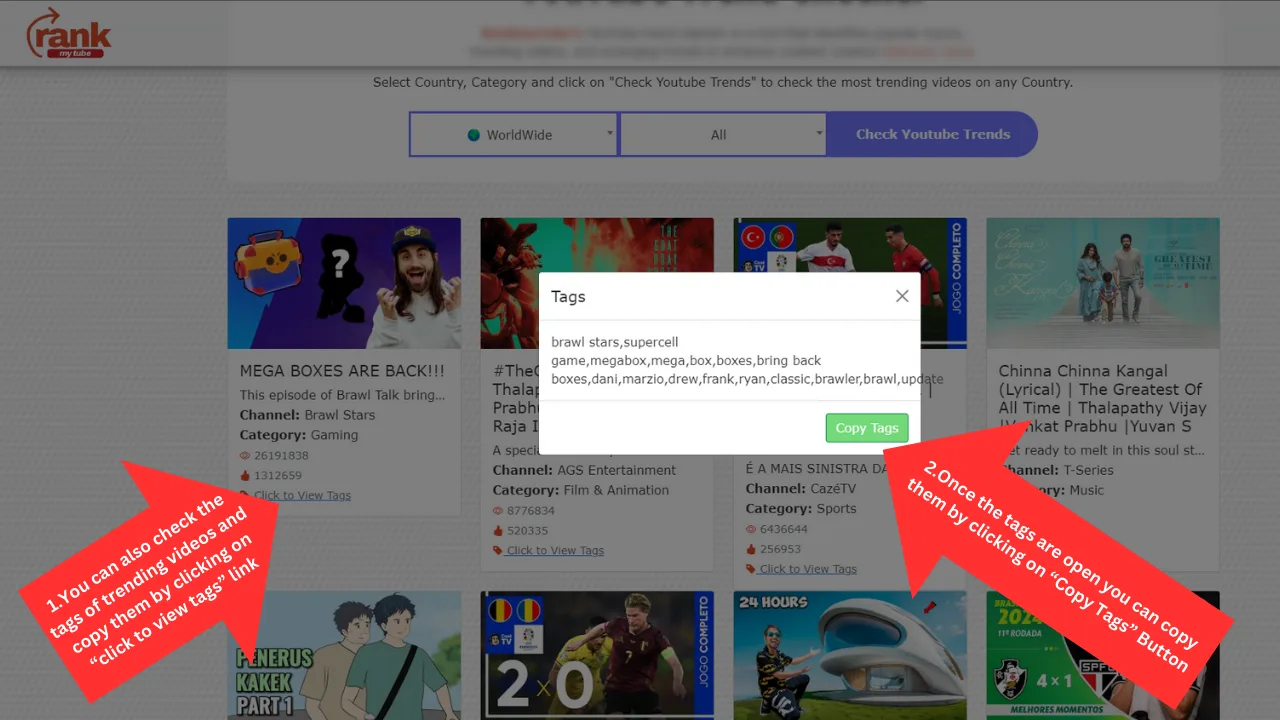
YouTube Trend Checker
Find the videos climbing in any country or category today, and see the tags their creators used.
Check trends
YouTube Tags Generator
Turn any video title into relevant, search-backed tags you can copy straight into YouTube Studio.
Generate tags
YouTube Title Generator
Turn any topic into 10 click-worthy YouTube title ideas using the five formats behind most viral videos.
Generate titles
Multi-platform Hashtag Generator
Get the right hashtag count for every platform — YouTube, Instagram and TikTok — from a single topic in seconds.
Generate hashtags